
GPT Image 2.6 comes in two versions: Flare and Sunburst. On Image2 they cost exactly the same number of credits and support exactly the same features: five quality tiers, up to 4K, GIF animation, SVG vectors, markup and masked edits, and composition planning.
So which one should you pick? There's no official answer, so we tested it: the same prompt and the same settings, run twice on each model. That's 28 images covering speed, text, photorealism, edits, GIF and SVG.
The short answer
| What you're doing | Pick | Why |
|---|---|---|
| Testing prompts, drafting, iterating | Flare | About 10 seconds per image, more than twice as fast; two runs come out almost identical, so changes are easy to compare |
| Posters and infographics with text | Either | Both got every word right, in Chinese and in English |
| Masked edits and local changes | Sunburst | Kept the original object's shape both times; Flare changed it once |
| SVG vectors | Sunburst | Same prompt: Sunburst drew a recognizable cup both times, Flare's were a mess both times |
| GIF animation | Either | Both made smooth loops; one Flare run swapped paws for a frame |
| Photoreal portraits and products | Depends | Similar image quality; Sunburst follows described actions more closely and adds a bit more detail |
In one line: draft with Flare, finish with Sunburst. They cost the same, so the only price of Sunburst is waiting about ten seconds longer.
How we tested
- 7 scenes: a Chinese-text poster, a photoreal portrait, a product shot, an English infographic, a masked edit, a GIF and an SVG;
- each scene ran twice on each model, so we're looking at each model's tendencies rather than one lucky image;
- still images used the Enhanced tier; the masked edit, GIF and SVG used Standard; everything at 1K;
- all 28 tasks were submitted at once, so both models ran under the same load.
Two runs per scene is a small sample. Treat the findings below as what we saw in this test, not a guarantee. Your prompts may behave differently, so there's a short how-to for running your own comparison at the end.
1. Speed: Flare is more than twice as fast
Processing time from start to finished image (two runs each):
| Scene | Flare | Sunburst |
|---|---|---|
| Chinese poster | 6 s / 7 s | 21 s / 22 s |
| Photoreal portrait | 15 s / 10 s | 22 s / 22 s |
| Product shot | 8 s / 6 s | 21 s / 26 s |
| English infographic | 9 s / 7 s | 24 s / 25 s |
| Masked edit | 9 s / 11 s | 25 s / 23 s |
| GIF (8 frames) | 11 s / 12 s | 19 s / 20 s |
| SVG | 11 s / 12 s | 20 s / 19 s |
| Average | about 10 s | about 22 s |
Flare's slowest run (15 s) was still faster than Sunburst's fastest (19 s). The wait you see in the browser also includes queueing and image transfer, so it will be a little longer than this, but the ratio holds.
We also checked actual usage: for each scene, the two models used exactly the same amount, which is why they cost the same credits on Image2. Sunburst is slower, not pricier.
2. Text: neither made a mistake
Accurate text is a GPT Image strength. We tested a Chinese poster and an English infographic, and all 8 images from both models had every word right: no typos, missing characters or gibberish.
A clean flat-design infographic titled "How Coffee Is Made". Five numbered steps arranged left to right, connected by a dotted arrow: 1 Harvest, 2 Dry, 3 Roast, 4 Grind, 5 Brew.
Each step has a simple round icon and a short caption underneath: "Pick ripe cherries", "Sun-dry for 2 weeks", "Roast at 200°C", "Grind just before brewing", "Brew at 92°C".
Brown, cream and teal palette, white background, generous spacing, all text spelled correctly.
👉 Try this infographic prompt (Flare is selected by default; switch to Sunburst in the model menu to compare)
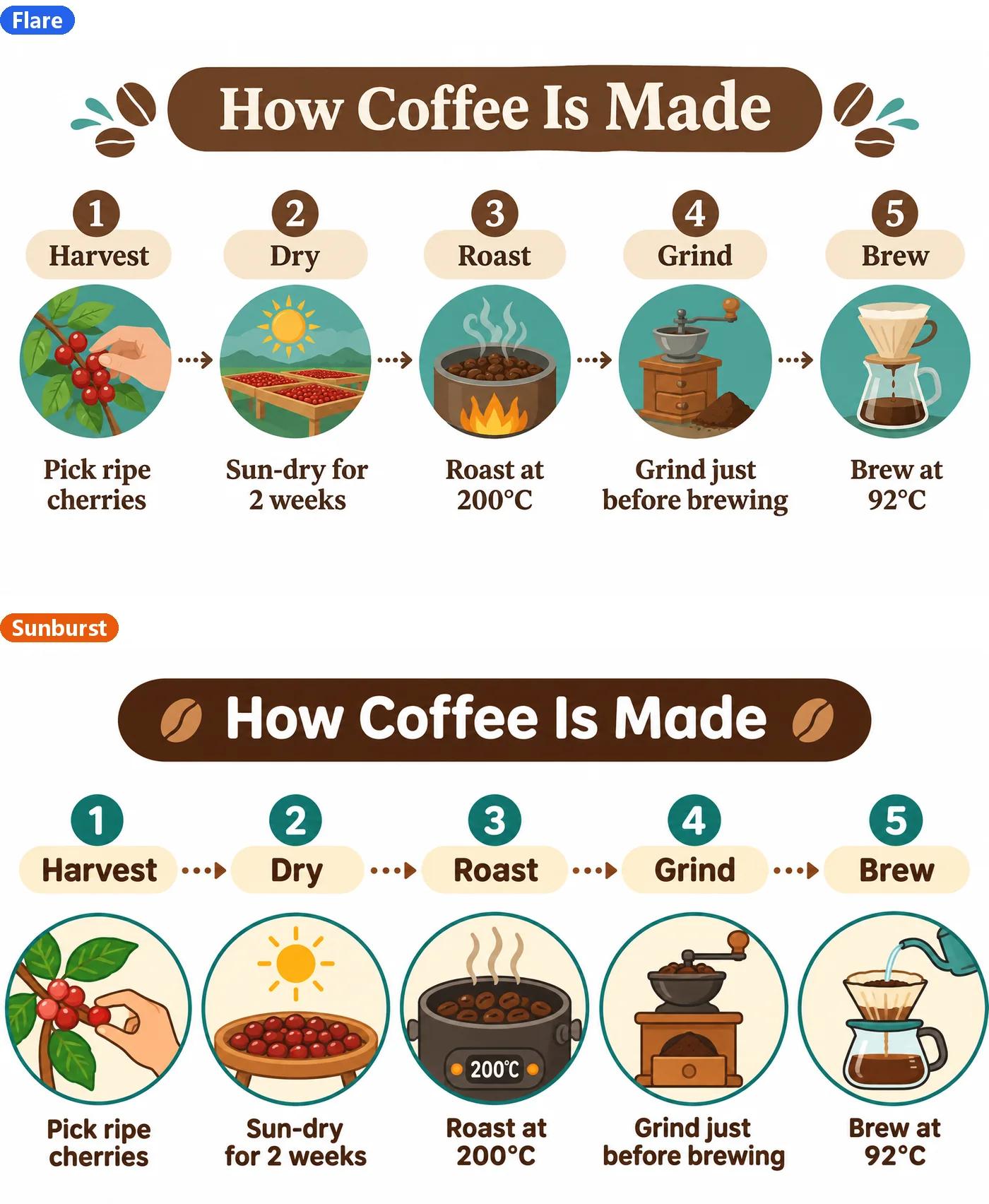
The difference is in style. Both got all five steps, the title and the captions right, and Sunburst added a "200°C" display to the roaster on its own.
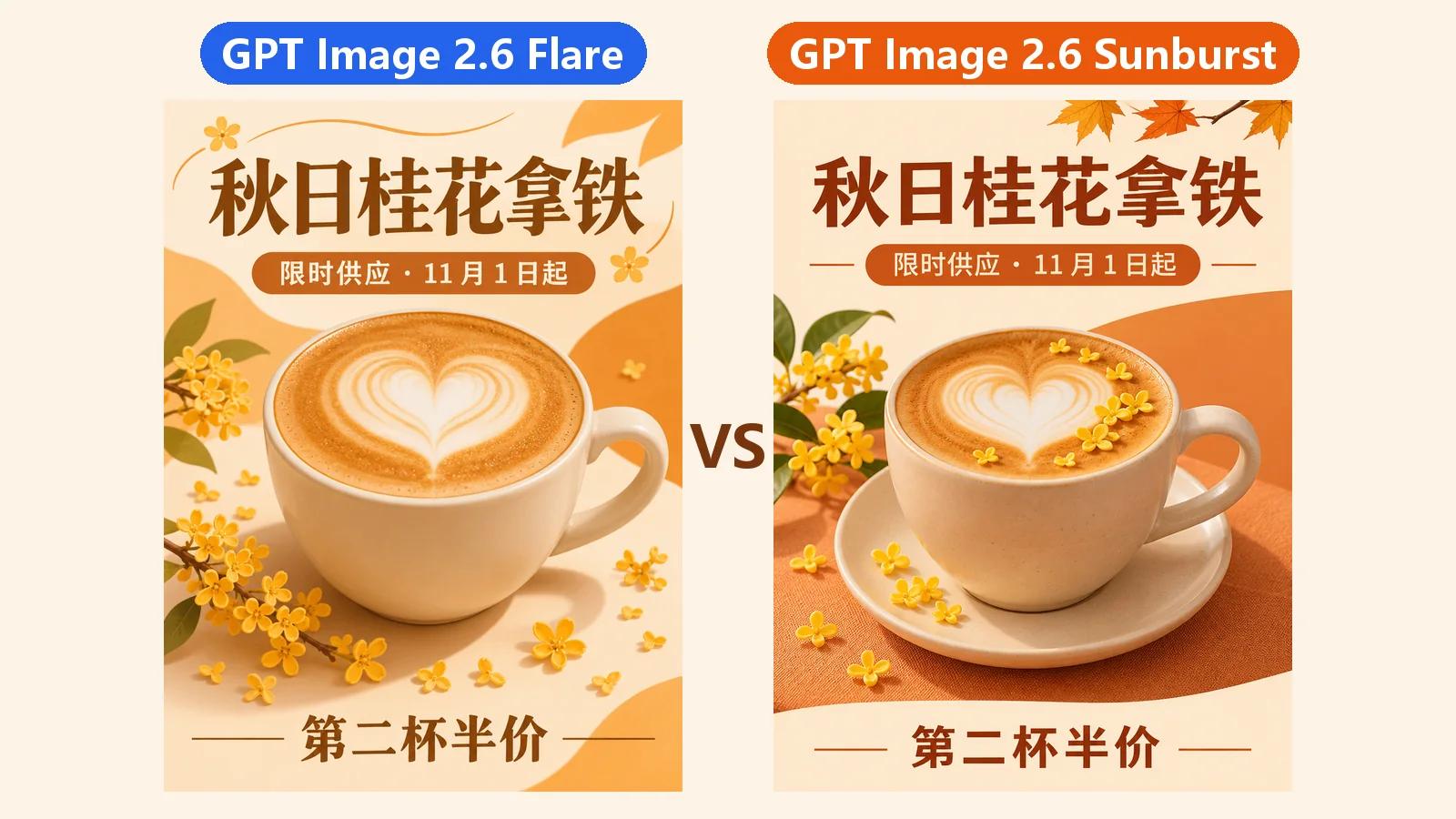
The poster test (a Chinese-language prompt for an autumn osmanthus latte) shows the same pattern more clearly:
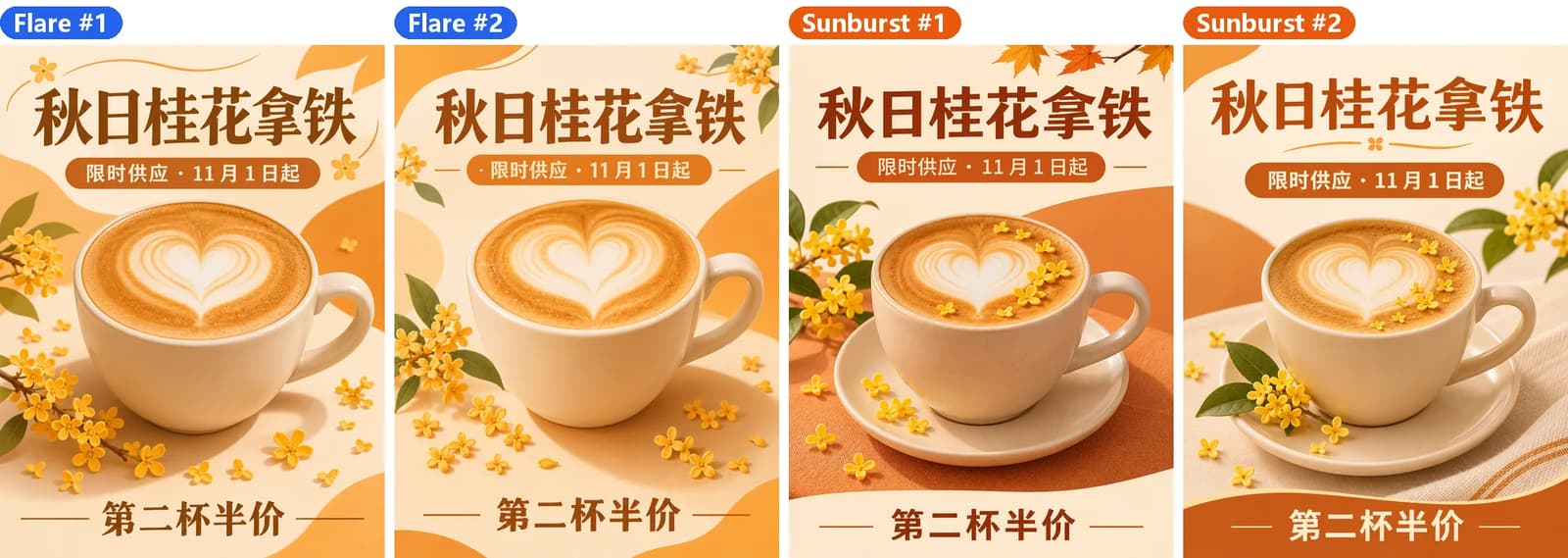
- Flare's two runs are almost identical: the title position, cup angle and flower branches barely move. When you change one word and regenerate, you can see exactly what that word did;
- Sunburst adds its own touches: a saucer and a tablecloth both times, flowers scattered on the foam. It looks more like a styled product photo, and the two runs differ more.
Which to pick: both work for text-heavy layouts. Use Flare when you want a fixed layout to tweak step by step; use Sunburst when you want a richer scene and more creative freedom.
3. Photoreal portrait: Sunburst follows the action
The prompt described an elderly fisherman mending a fishing net on a pier, documentary style.
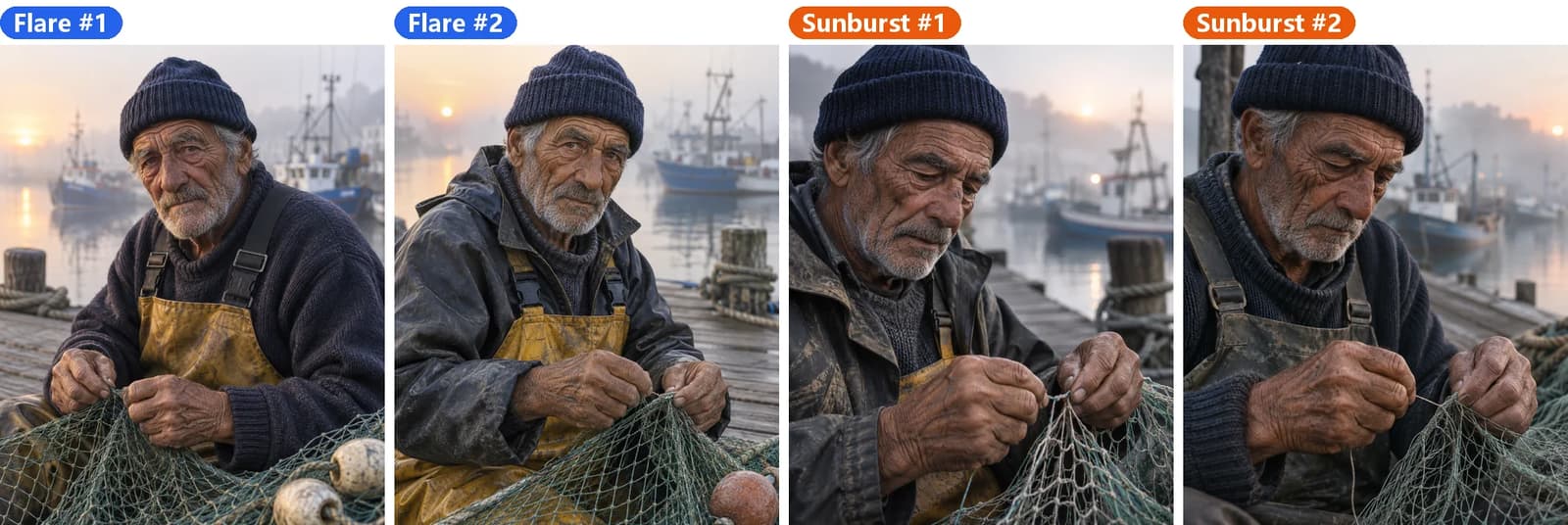
Skin texture, light and background blur look real on both, and it's hard to pick a winner on image quality. The clear difference is what the man is doing:
- Flare had him look up at the camera both times, more like a posed portrait;
- Sunburst had him look down with the net line pinched between his fingers both times, framed closer. He's actually mending the net.
If your prompt describes a specific action, Sunburst is more likely to draw it.
4. Product shot: basically a tie
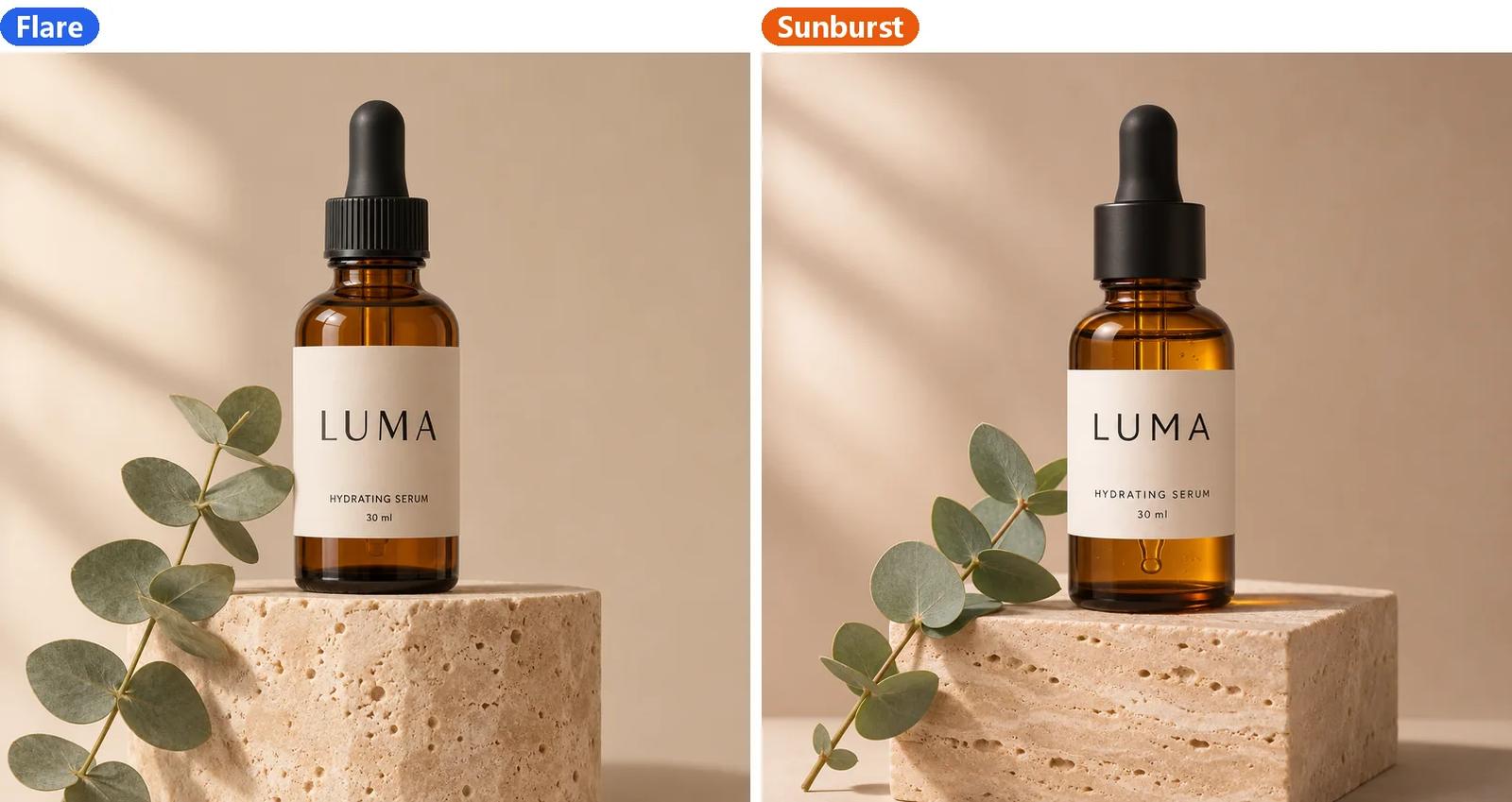
Both rendered the label "LUMA / HYDRATING SERUM 30 ml" perfectly, with very similar composition and lighting. Look closely and Sunburst adds a little more physical detail: you can see the dropper tube through the amber glass, and the stone pedestal has more layered texture.
Flare is plenty for everyday listing photos. For a hero image people will zoom into, run one more version on Sunburst.
5. Masked edit: Sunburst follows the rules
On a photo of a white mug, we painted a mask over the mug and asked for "a matte navy-blue ceramic mug with a thin gold rim, same size, same position and same viewing angle".

The far left is the original. All four results changed only the mug: the window, plant and towel stayed untouched. The difference is the mug itself:
- Sunburst kept the straight-sided shape both times;
- Flare turned it into a rounded, pot-bellied mug on the first run and kept it straight on the second.
All four mugs came out slightly wider than the original, which is common with masked edits (see the fixes in the inpainting and markup tutorial). But when the shape has to stay the same, Sunburst is more reliable. For product swaps, recoloring clothes and other edits where the shape must not change, go straight to Sunburst.
6. GIF: both work
The prompt was an orange cat mascot waving hello, 8 frames at 150 ms each.
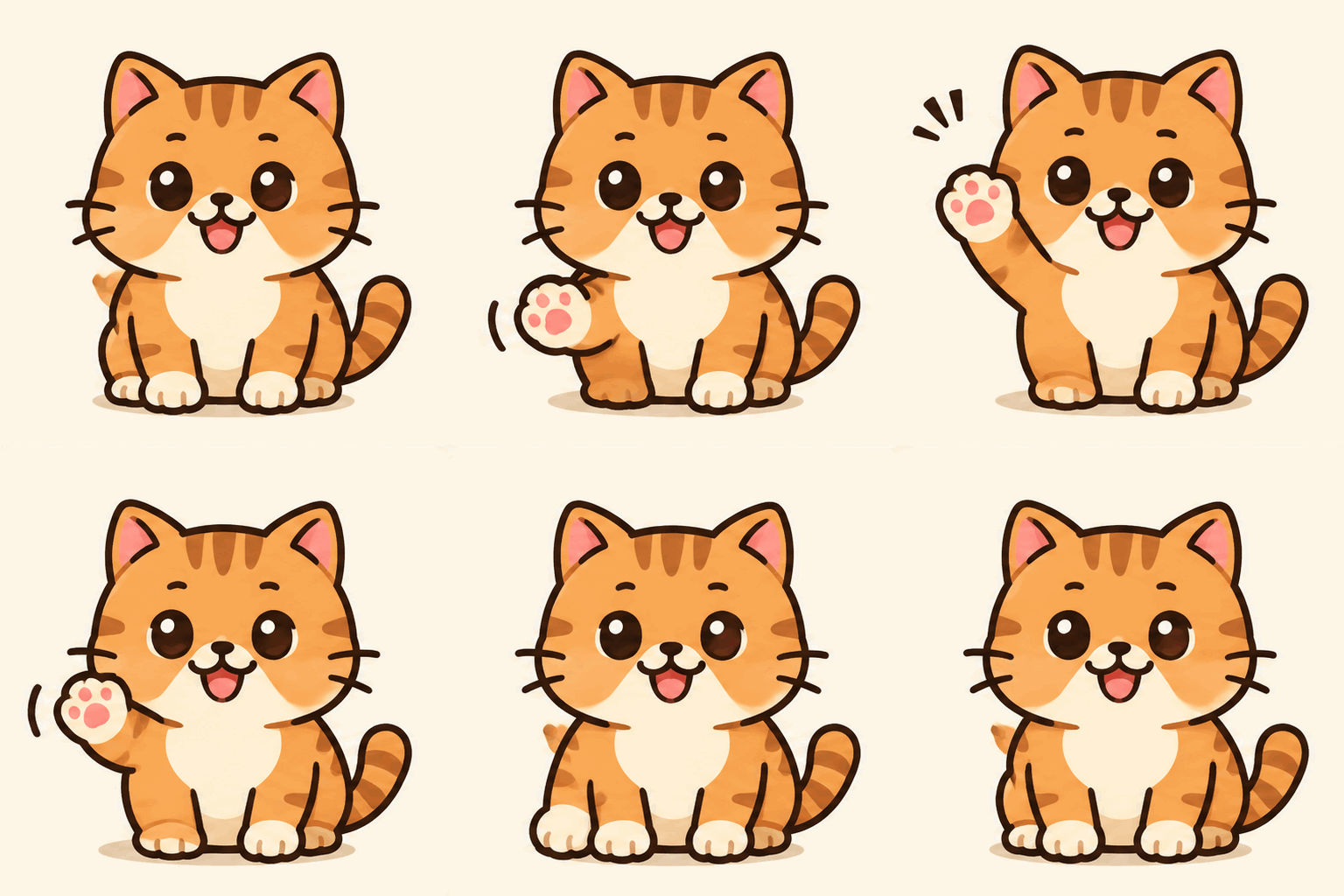
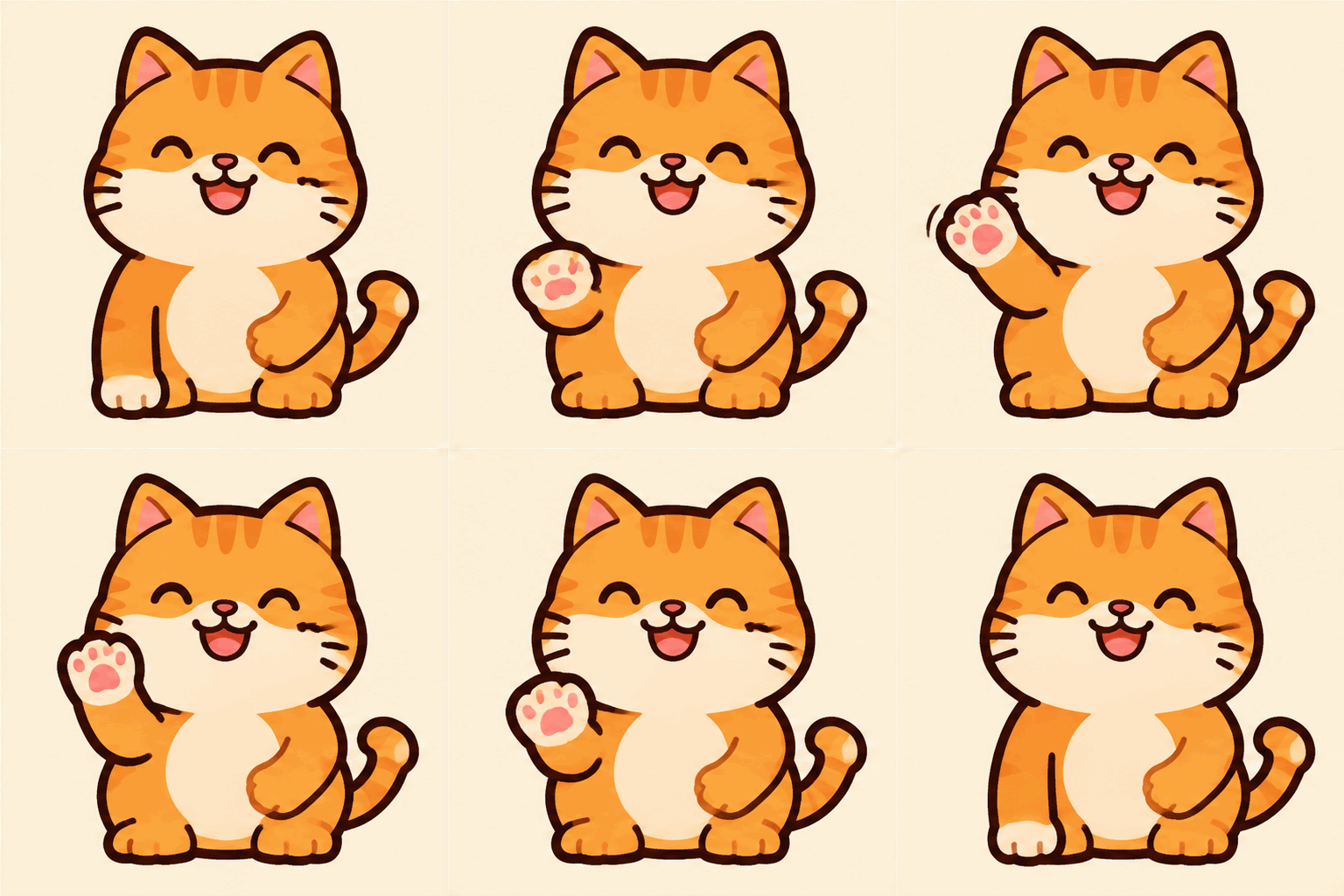
Left: Flare. Right: Sunburst.
Here is every frame laid out:
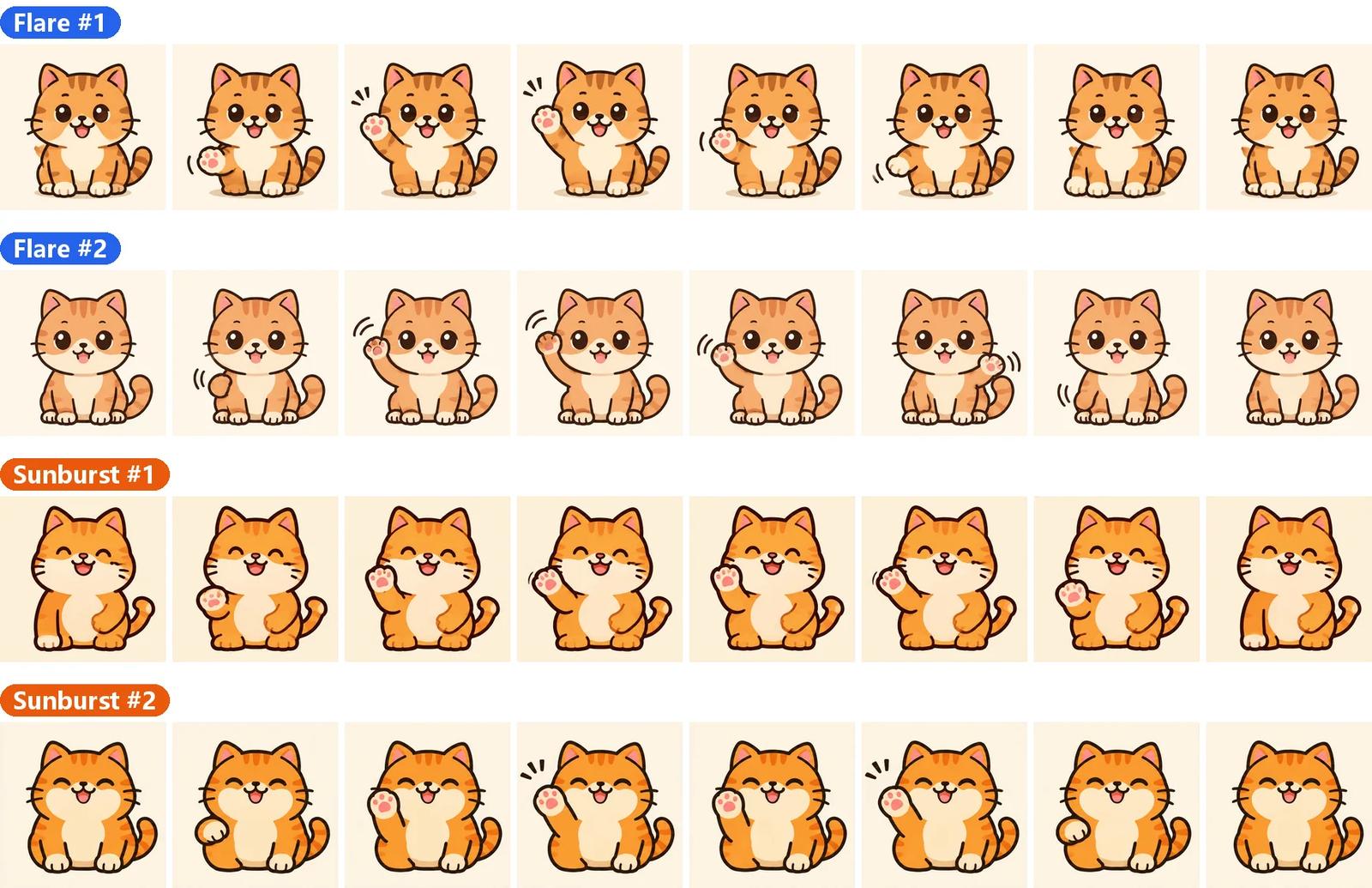
All four GIFs completed the raise, wave and lower loop, and the character stays consistent across frames. The one glitch: in Flare's second run, frame 6 suddenly switches to the other paw, which shows up as a jump during playback. The styles also differ: Flare's cat has big round eyes, Sunburst's is smiling with its eyes closed.
A GIF takes only seconds, so with Flare you can generate a few and keep the best one. For more GIF tips, see the GIF animation tutorial.
7. SVG: the biggest gap
We deliberately used a hard prompt here: a coffee cup app icon with a heart-shaped steam swirl. In the SVG tutorial, this exact prompt failed on Flare.
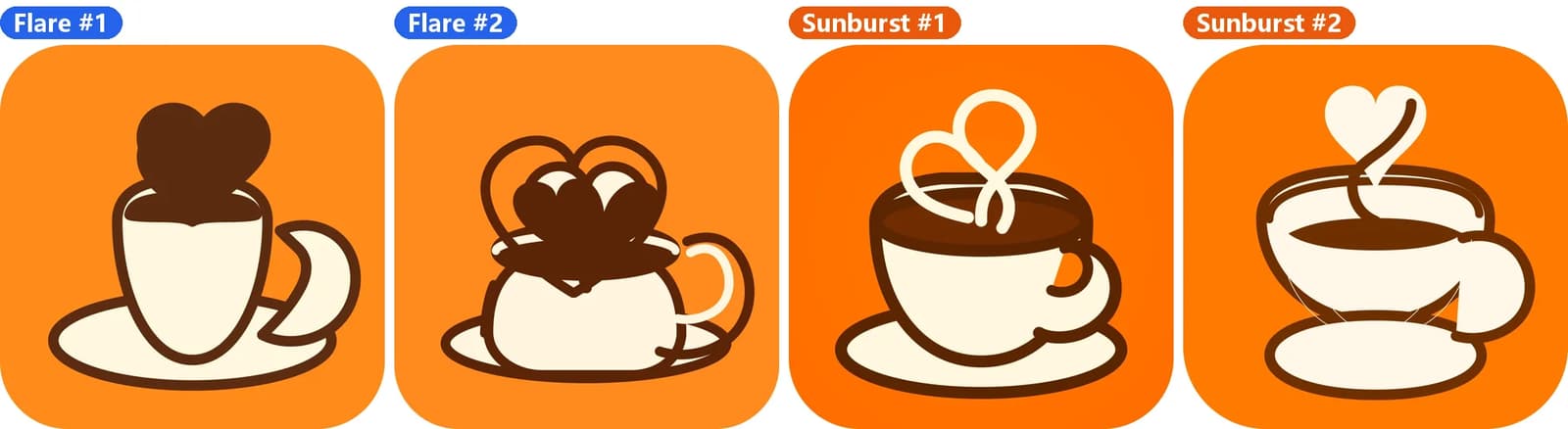
- Flare: both times the cup, handle and heart collapsed into a tangle that isn't usable as-is;
- Sunburst: both times a recognizable cup, saucer and heart-shaped steam, and the first one is close to a usable icon.
SVGs are made in two steps: the model draws a 1K reference image, then a text model rewrites it as vector shapes. The second step is the same for both models, so the difference comes from the reference image. Sunburst's reference has cleaner shapes, which survive the conversion better.
Use Sunburst for SVG. An SVG starts at 10 credits, so one Sunburst run beats several Flare retries.
A workflow that uses both
Since they cost the same, you don't have to choose one. Switch by stage:
- Find the direction with Flare: test prompts, compositions and copy. Each try takes about 10 seconds, and runs are consistent enough to see what changed;
- Make the final with Sunburst: once the direction is set, keep the prompt, switch the model menu to Sunburst and generate the final version;
- Go straight to Sunburst for edits and SVG: masked edits, markup edits and SVG vectors succeed more often on Sunburst, which saves retries.
We split the work the same way in the GPT Image 2.5 stop-motion tutorial: bulk frames on Flare, master shots and fixes on Sunburst.
Run your own comparison
Your subject may behave differently from ours. To compare fairly:
- Change only the model: keep the prompt, reference images, aspect ratio, quality and composition planning the same;
- Generate at least twice per model: one image each can just be luck;
- Decide what you're judging first: text accuracy, whether the shape changed, whether the action is right, or overall look.
Your history saves the model and settings for every image, so it's easy to go back and compare.
FAQ
Do Flare and Sunburst cost the same? Yes. Every quality tier, resolution, GIF and SVG option costs the same credits on both. A Standard 1K still image is 4 credits on either.
Is Sunburst always better than Flare? No. In our test, Sunburst was clearly better at masked edits and SVG, the two were close on text and product shots, and Flare was more than twice as fast. Flare is the better fit for drafts and fast iteration.
Why is Sunburst slower? There's no official explanation. In our test both models used exactly the same amount per task; Sunburst consistently took about 20 seconds and Flare about 10.
Can I regenerate an image with the other model? Yes. Open the generation from your history, switch to the other version in the model menu and generate again. The prompt and settings are kept.
Try both models with the same prompt on the GPT Image 2.6 page.