GPT Image 2 is one of the best models for images that contain text: posters, product shots, social carousels and infographics often come out usable on the first try. The catch is access. The usual routes are a ChatGPT subscription or the OpenAI API, and neither fits everyone.
This guide compares the three practical ways to use GPT Image 2, walks you through generating your first image in five steps, and works out what each image actually costs. The five steps work the same for GPT Image 2.5, which sits in the same Image2 generator: just pick it from the model menu.
Short answer: if you just want images and don't write code, a web app is the simplest, with no OpenAI account and around $0.014–0.034 per standard image. If you already pay for ChatGPT Plus, use it there. If you are building a product, use the OpenAI API.
Three ways to use GPT Image 2
| Option | What you need | Payment | Cost | Best for |
|---|---|---|---|---|
| ChatGPT (web / app) | An OpenAI account in a supported country | Card or app store subscription | Plus is $20/month; the free tier is rate-limited | People who already use ChatGPT daily |
| OpenAI API | Developer account, card, code to call the API | Prepaid usage | Pay per use, see OpenAI's pricing page | Developers and batch workflows |
| Web app (e.g. Image2) | An email address | Card or Alipay; subscription or one-time pack | From $9.9; about $0.014–0.034 per standard image | Designers, marketers, creators, sellers |
All three run the same model. The difference is the interface and how you pay. ChatGPT is conversational, which is great for iterating by chat. The API is the most flexible but needs code. A web app turns aspect ratio, resolution and reference images into buttons, which is the fastest way to a finished asset.
A word on "free GPT Image 2" sites. Some sites run many users through one shared account, which puts your uploads and prompts at risk, and some label a different model as GPT Image 2. Before you upload anything, check that the site has real terms and a privacy policy, a legitimate payment provider, and says clearly which model it runs.
Generate your first image in 5 steps
The walkthrough uses Image2, a browser-based generator. No OpenAI account or install needed.
Step 1: Sign up
Open image-2.net and sign up with your email. New accounts get 4 free credits, enough for two standard 1K images, so you can check the quality before paying.
Step 2: Write the prompt
Type your prompt into the generator and leave the model on the default GPT-Image-2 (bottom right of the prompt box).
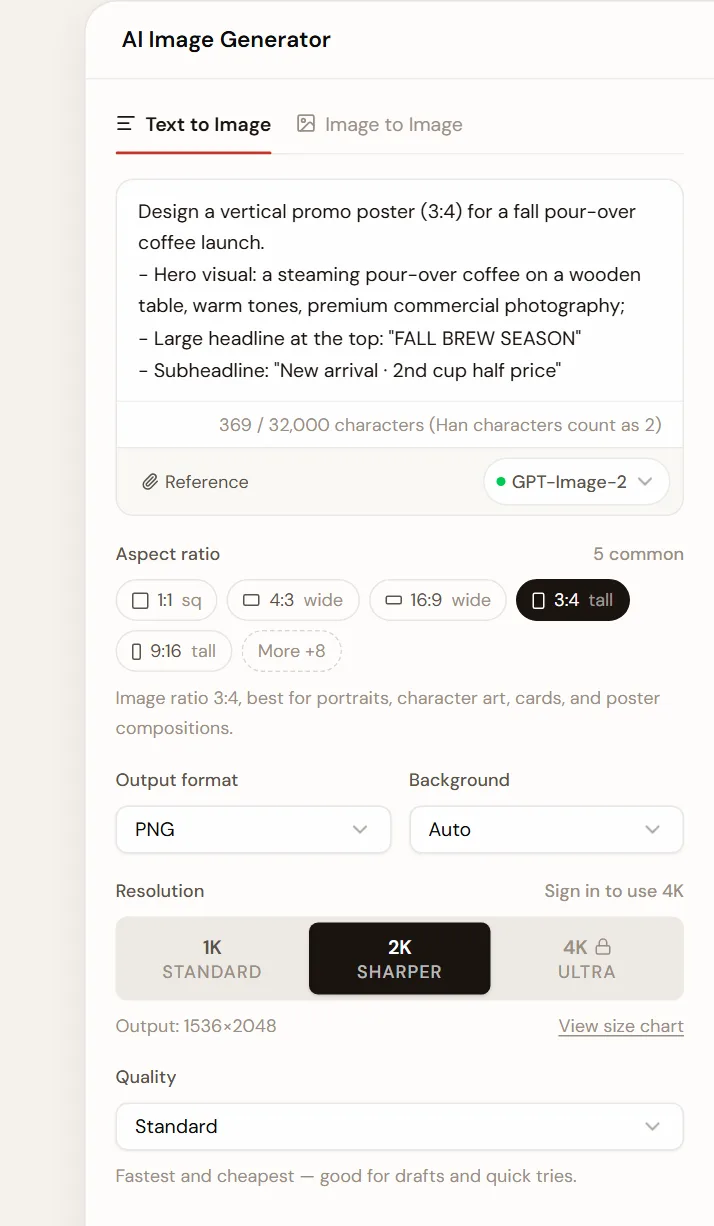
Here is a complete poster prompt. Copy it and swap in your own subject and copy:
Design a vertical promo poster (3:4) for a fall pour-over coffee launch.
- Hero visual: a steaming pour-over coffee on a wooden table, warm tones, premium commercial photography;
- Large headline at the top: "FALL BREW SEASON"
- Subheadline: "New arrival · 2nd cup half price"
- Palette: warm cream, deep espresso brown and a touch of caramel gold; crisp, legible text.
👉 Shortcut: load this prompt into the generator with the ratio and resolution already set.
Three rules cover most prompts: be specific about the subject, quote any on-image text exactly, and name the palette and style. For the full method, read How to write GPT Image 2 prompts.
Step 3: Pick ratio, resolution and quality
- Aspect ratio:
3:4or4:5for posters and carousels,1:1for feeds,16:9for thumbnails,9:16for stories. "More" opens eight additional ratios. - Resolution: explore at
1Kor2K, then render the final at4K. - Quality: Standard is the fastest and cheapest. Fine and Extreme add detail and unlock after your first purchase.
Credits per image (the generator always shows the cost before you submit):
| Quality | 1K | 2K | 4K |
|---|---|---|---|
| Standard | 2 | 4 | 6 |
| Fine | 10 | 18 | 30 |
| Extreme | 35 | 70 | 115 |
Step 4: Generate and download
Click Generate. Most images arrive in about 40 seconds; 4K and higher quality take longer. Download the result, or find any past image under My history.
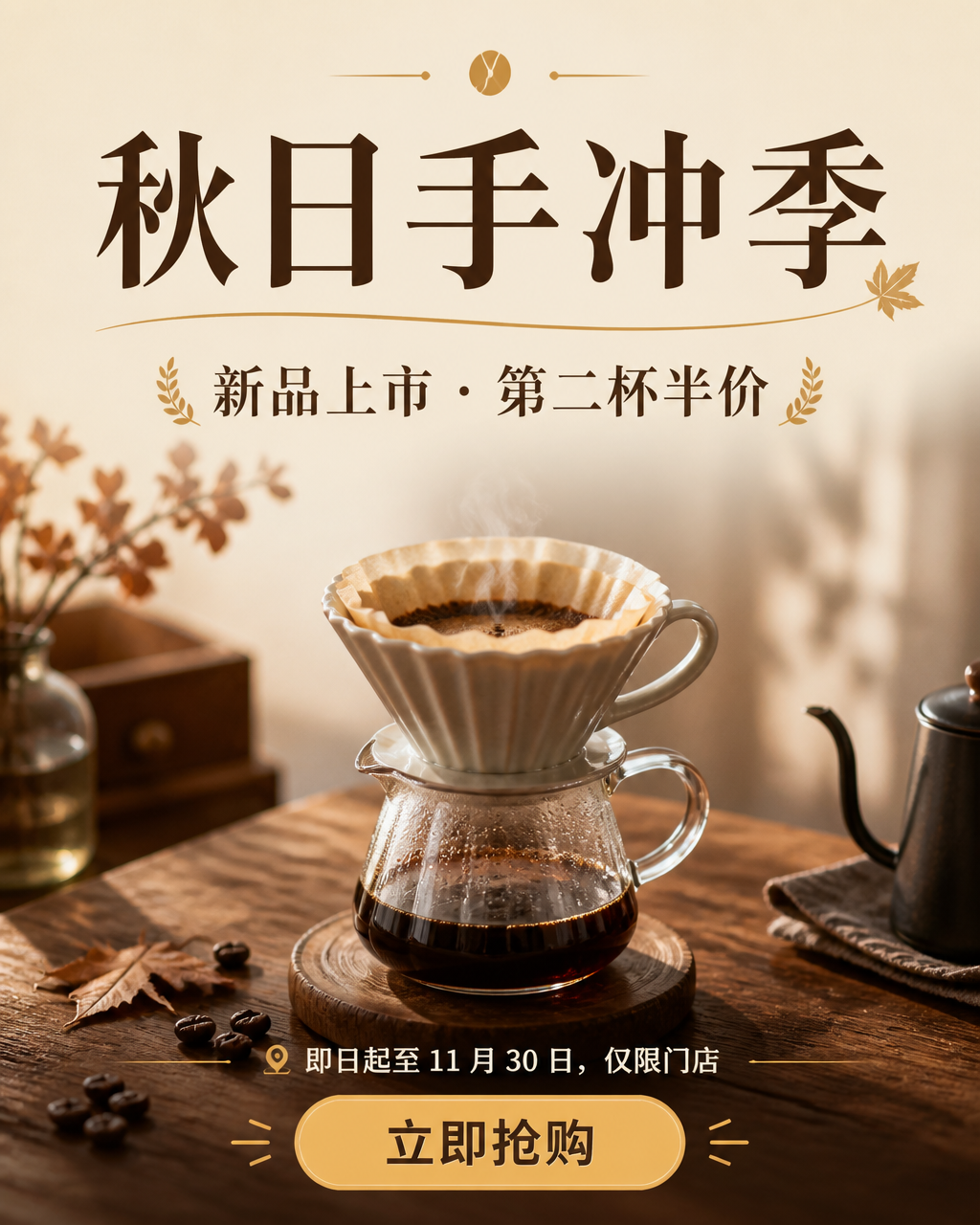
This is the output of a similar poster prompt. The headline and subheadline are rendered by the model itself. If something is off, change one or two things per round ("make the headline bigger", "use a lighter background") instead of rewriting the prompt.
Step 5: Edit with reference images
GPT Image 2 can also edit images you already have: swap a background, rewrite copy, recolor, or restore an old photo. Switch to Image to Image, upload up to 16 references, and spell out what must stay the same before what should change.
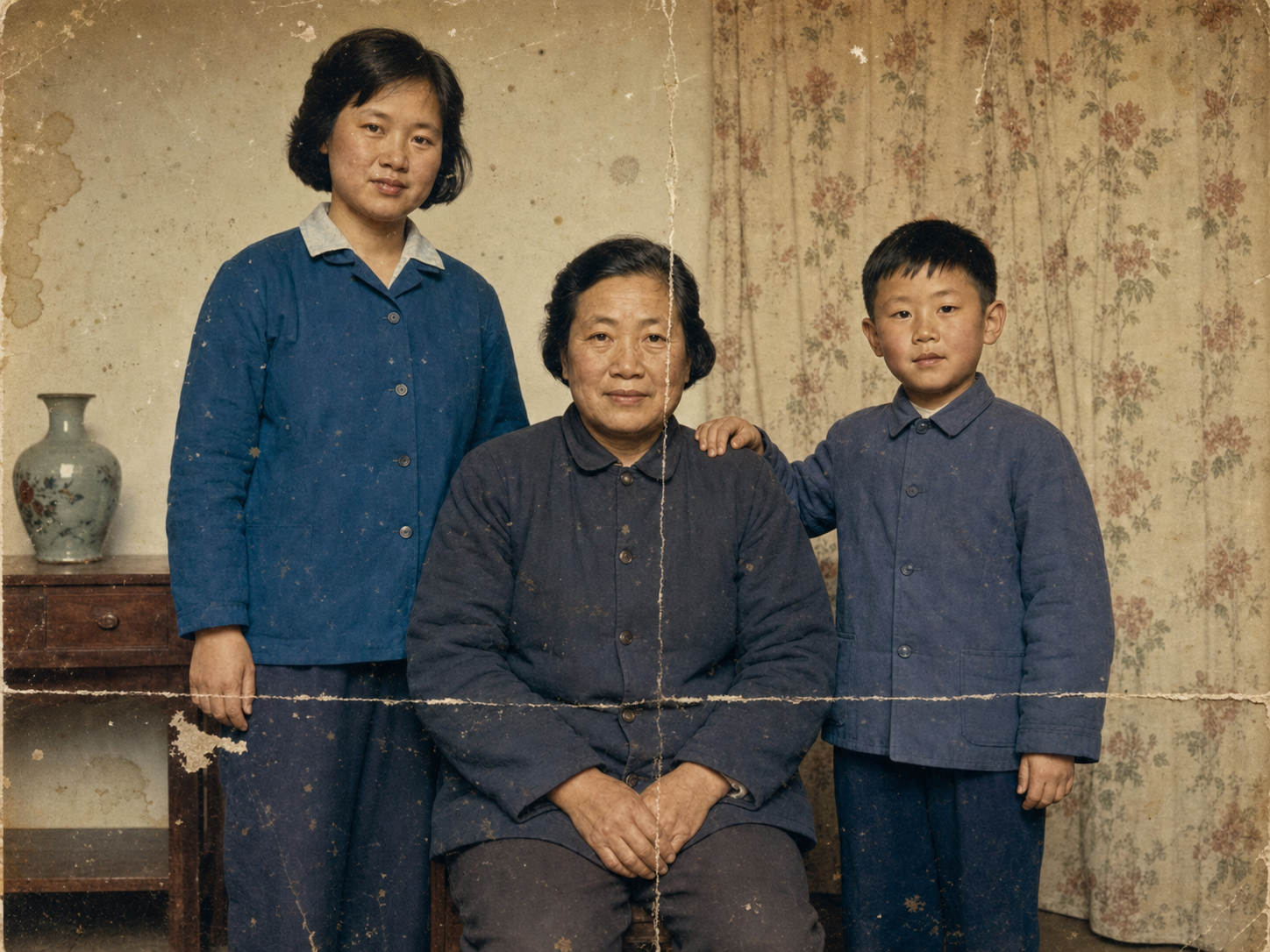
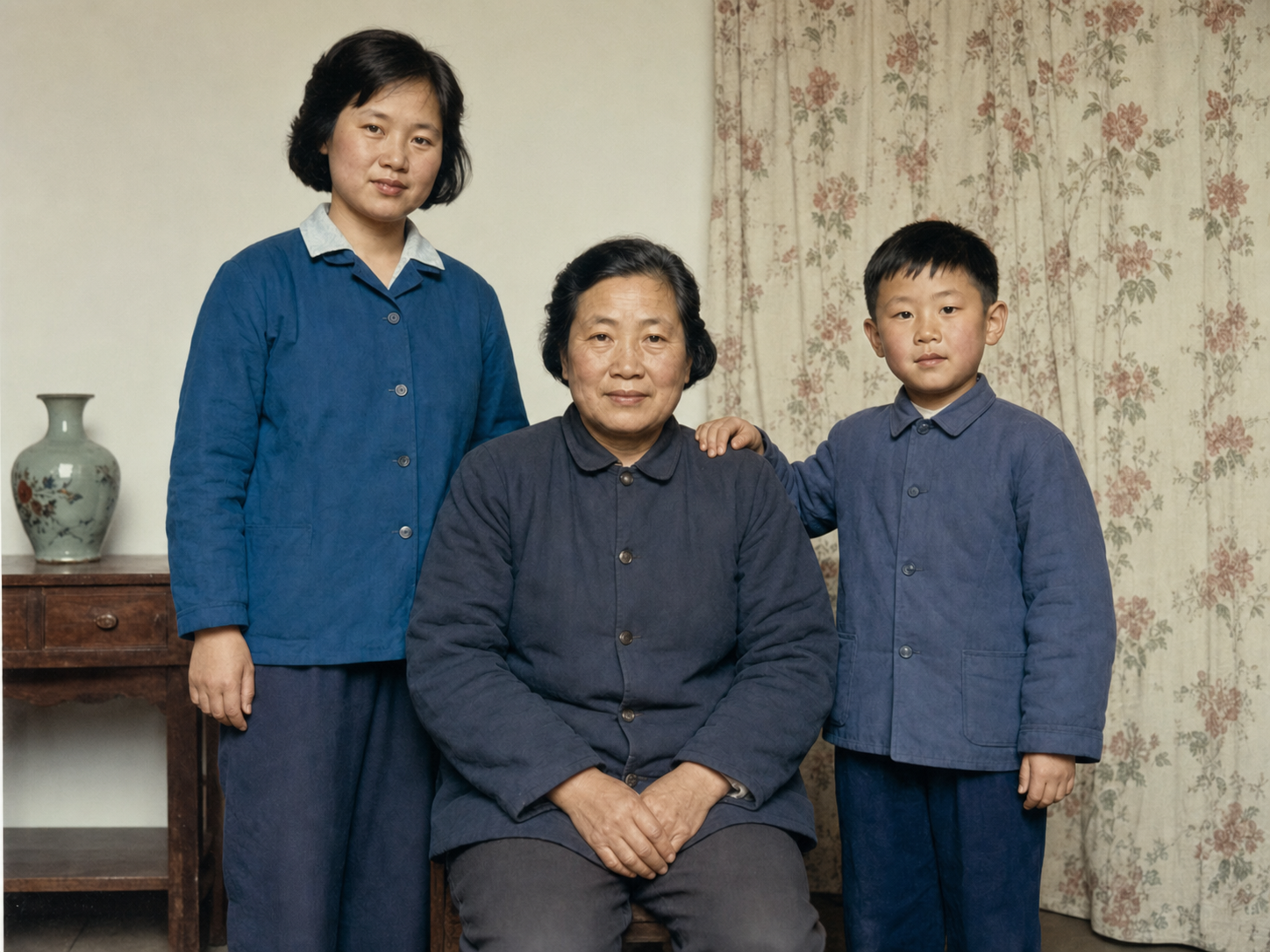
👉 Use this preset: restore an old photo, then upload yours. More editing ideas: old photo restoration and e-commerce product photos.
How much does GPT Image 2 cost per image?
Image2 offers monthly or yearly subscriptions, plus one-time credit packs that never auto-renew (Alipay supported):
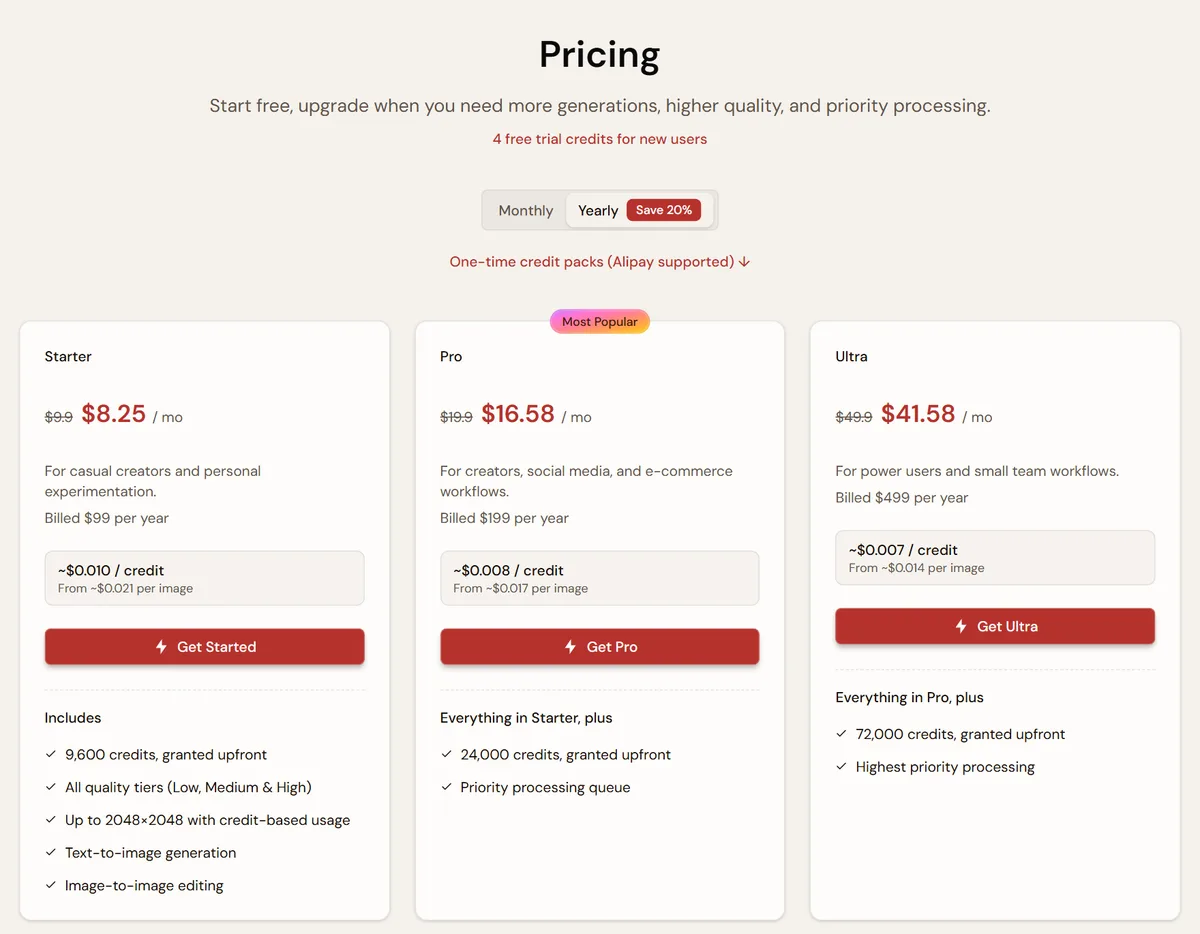
Cost per standard 1K image (2 credits):
| Plan | Price | Credits | Per image |
|---|---|---|---|
| Creator Pack (one-time, 180 days) | $9.9 | 600 | ~$0.033 |
| Starter monthly | $9.9/mo | 800 | ~$0.025 |
| Pro monthly | $19.9/mo | 2,000 | ~$0.020 |
| Ultra monthly | $49.9/mo | 6,000 | ~$0.017 |
| Starter yearly | $99/yr | 9,600 | ~$0.021 |
| Ultra yearly | $499/yr | 72,000 | ~$0.014 |
A 2K image costs twice as much as 1K and a 4K image three times; Fine and Extreme follow the table above. Failed generations and images blocked by moderation are not charged. Credit packs are non-refundable, so start small if you are unsure. See the pricing page for current plans.
Will the text in my image be correct?
GPT Image 2 renders text far better than earlier image models, but it can still slip. These habits raise the hit rate:
- Quote the exact words: write
headline "FALL BREW SEASON", not "a fall headline"; - Keep text short: a headline plus a subheadline is reliable, while paragraphs are not;
- Describe hierarchy and placement: what is big, what is small, and where each sits;
- Proofread before publishing: for text-heavy layouts, ask for copy space and add the words yourself with the text on image tool.
More in the marketing poster tutorial.
FAQ
Do I need an OpenAI account or ChatGPT Plus?
Not with a web app like Image2: sign up with email and pay by credits. ChatGPT and the OpenAI API both require an OpenAI account.
My prompt was rejected. What now?
Prompts pass a content safety check, and requests involving sexual content, violence or real public figures may be blocked. Blocked requests cost nothing. Rephrase or remove the sensitive element and try again.
My reference image won't upload.
Use a standard PNG, JPG or WebP. An "invalid image" error usually means the file's extension doesn't match its real format. Convert it with the image converter and upload again.
Can I use the images commercially?
That depends on OpenAI's usage policies, the platform's terms and your use case. Double-check rights whenever an image involves trademarks, real people or someone else's work.
GPT Image 2 vs GPT Image 2.5 vs Nano Banana?
All three are in the same Image2 generator, so you can run one prompt through each and compare. For what 2.5 adds, the Flare and Sunburst editions plus two extra quality tiers, see the GPT Image 2.5 page. For Google's model, see Nano Banana 2.1.
Next steps
- Need a starting point? Browse the GPT Image 2 prompt library and remix any prompt in one click.
- Want more? The blog has step-by-step tutorials by use case, from product photos and posters to storyboards and headshots.
- Ready? Start generating.