Shooting a short film, cutting a vlog, producing an ad — they all start with a storyboard: breaking the piece into panels and labeling each with shots, actions, transitions, and sound. Traditionally that meant drawing by hand or placing panels one by one in specialized software. High barrier, slow.
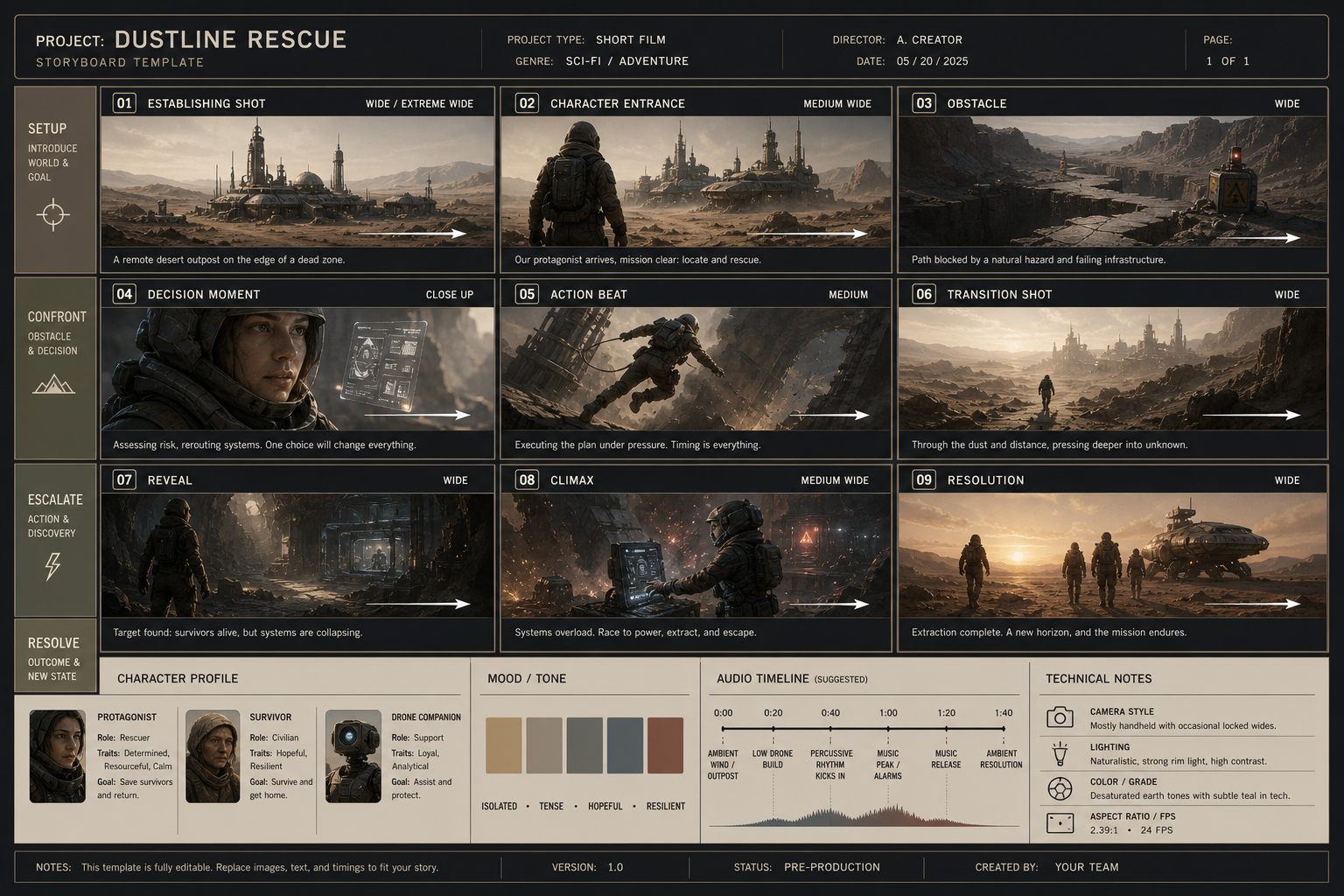
The modern approach is much simpler: write your story concept as one structured prompt and let GPT-Image-2 generate an entire storyboard grid in a single pass — every panel with its own frame, shot size, and caption, ready to share with the team.
This tutorial uses GPT-Image-2 to walk from "write the script" to "ship the board," no drawing skills required.
Step 1 — Turn your story into a structured storyboard prompt
💡 Shortcut: this prompt is already a reusable template. Open the Storyboard Grid Template and click Remix this to jump straight to the generation page — no copy-paste needed. To understand each field and adapt it to your own story, keep reading.
Open https://image-2.net/ and paste the prompt below, swapping in your own story concept:
Based on the story concept below, generate a 16:9 storyboard arranged as a 3-column x 3-row, 9-panel grid:

Story concept: A programmer working late at night meets a talking orange cat, and together they fix the bug.
Overall style: warm, heartwarming 3D animation look, soft night lighting, in the spirit of a Pixar short.

For each panel, clearly label:
- Shot size (wide / medium / close-up)
- Character action
- Visual progression / transition
- Sound effect or music cue

Add an info bar at the bottom: character sheet, overall emotional tone, per-panel timecode (~1.5s each).
👉 Don't want to copy-paste? Click here: Remix this prompt — it opens the generation page with the prompt, aspect ratio, and resolution pre-filled.
For storyboard prompts, just remember these 5 fields:
- Base setup: aspect ratio, grid layout, total panels (e.g. "3 columns x 3 rows, 9 panels");
- Style direction: name the reference director / film / art style, e.g. "Pixar 3D" or "Blade Runner 2049 grade";
- Per-panel shots: shot size, character action, transition for each panel;
- Visual spec: color palette, lighting, overall tone;
- Bottom info bar: character sheet, emotional tone, timecode, technical specs.
Step 2 — Pick the right aspect ratio and resolution
Half of a storyboard's readability comes down to settings:
- Aspect ratio:
16:9for film and landscape ads;9:16for vertical short video; - Resolution: pick
2Kso the small text (shot sizes, timecodes) in each panel stays legible; pick4Kif you'll print and pin it on set; - Click Generate and wait ~40 seconds for the full board.
Two quick prompt tips:
- Spell out "shot + action + sound" for every panel, so the model lays it out as a storyboard rather than a generic illustration;
- State the panel count and grid explicitly, e.g. "3x3, 9 panels" or "3x2, 6 panels," to avoid random collaging.
Step 3 — Reroll if needed, or "Continue" to fix a single panel
AI generation takes a bit of luck: text in one panel may be slightly off, or a shot may not be what you wanted.
- Not happy overall? Click Regenerate to reroll with the same prompt;
- Just one panel wrong? Click Continue and add a targeted line, e.g. "Redraw only panel 5 as a low-angle shot, keep all other panels unchanged";
- Want a uniform style swap (say, 3D to pencil sketch)? Add it in Continue too.
Tip: storyboard tasks reward restraint. Changing one panel and one thing at a time is far more reliable than piling on requirements.
Wrap-up
Generating a professional storyboard comes down to two things:
- Use the five-part prompt — base setup + style + per-panel shots + visual spec + info bar — on image-2.net to generate in one pass;
- Reroll if needed, or use Continue to fix a single panel.
Save the template and only swap "story concept" and "style" each time. It fits any genre — the Storyboard template library has plenty of ready-made directions:
- Film / short: Professional 6-Panel Film Storyboard (pencil-and-marker production-sketch look);
- Animation / character short: 12-Panel Storyboard Poster (emphasizes character consistency);
- Ad / TVC: Product TVC 9-Panel Storyboard (upload a product photo for image-to-image);
- Sci-fi / concept: Gas Giant Descent Storyboard (12-panel cinematic sci-fi).